

Ever had a sudden burst of inspiration on a Sunday evening, realized you needed room for 50 more photos, and then remembered you had to email support to upgrade your account? By the time Monday rolls around, that creative energy is entirely gone.
This Meminto update is all about giving you full control. We want you to take action seamlessly – whether that means inviting another family member to contribute, adding more pages, or making your media more engaging. While our competitors focus only on their website designs, we add new features every month to help you finish your book faster and more beautifully.
The Theme of This Release: Complete Creative Control
Creating a memory book is a deeply personal project, and you shouldn’t have to wait for permission (or a business day) to build it exactly the way you want.
With version 5.3, we focused heavily on independence. We removed the friction from gathering stories, eliminated the waiting time for account upgrades, and polished the visual details so your final printed pages look distinctly modern. Here is what actually changed.
The Updates in Version 5.3
🤝 Invite Contributors Without Accounts
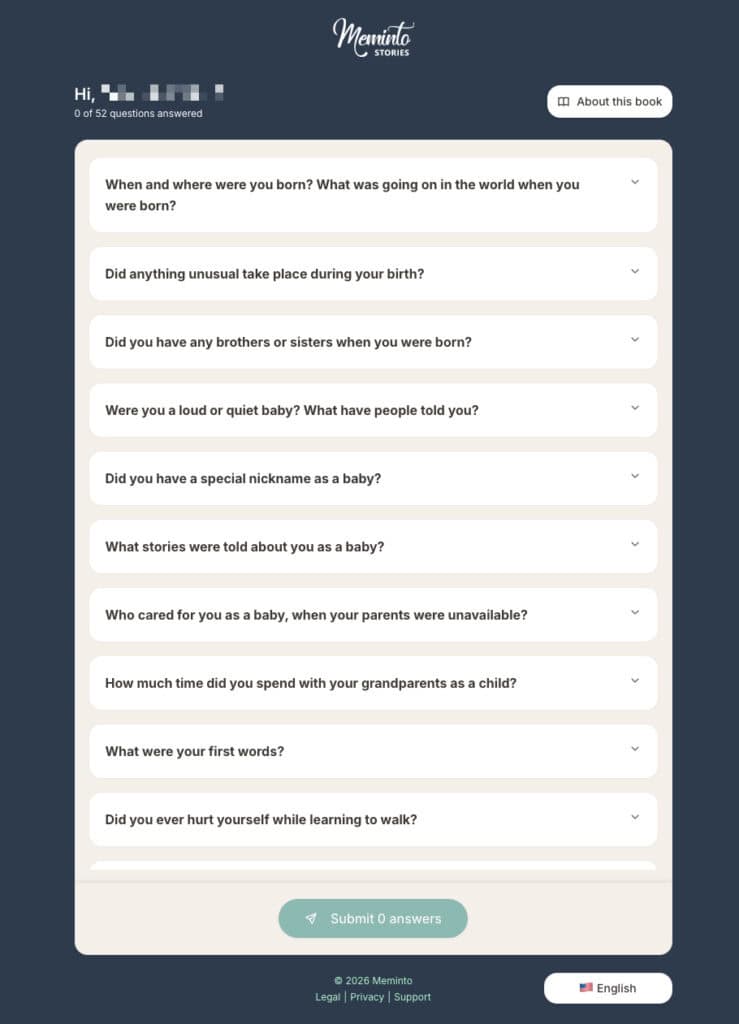
Gathering stories from friends and family just got a lot easier.
We know that asking someone to create an account and invent a new password can sometimes be the hurdle that stops them from contributing. Now, you can invite guests to participate using a simple, secure link. They just click, type, and save.
How to use it:
- Go to your book’s contributor settings.
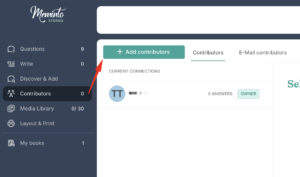
- Generate a guest invite link.
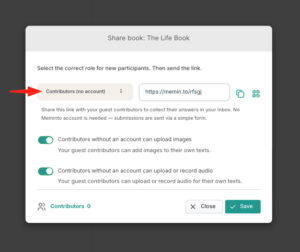
- Send it to your loved ones via text or email.
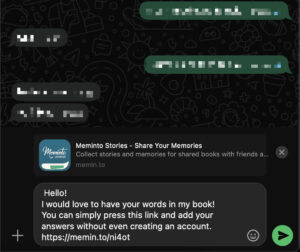
Uncle John gets your text, taps the link on his iPad, types his memory about your college graduation directly into the browser, and hits submit. No passwords, no tech support required.
🛒 The Self-Service Checkout
You can now purchase add-ons and features instantly, entirely on your own.
Previously, if you wanted to expand your book, add more participants, buy additional image space, or activate our telephone interview functions, you had to reach out to our support team and wait for a reply. We have replaced that process with a complete self-service model. You are now fully in control of your book’s features, 24/7.
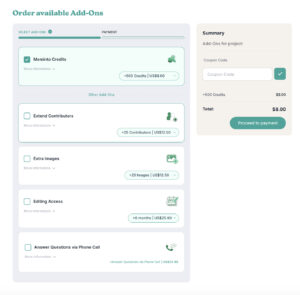
How to use it:
- Navigate to the exact spot where you need the feature (for example, go to “My Books” then “Book Details” if you want to extend your book’s expiration date).
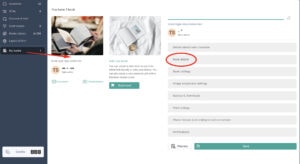
- Click the option to add your specific upgrade.
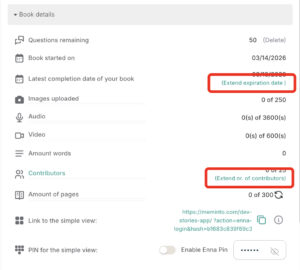
- Complete the secure checkout right on that page, and your new features will activate immediately.
You realize at 11 PM that you have way more childhood photos than you originally planned. You simply open the new self-service menu, add an image pack to your book, and keep uploading without missing a beat.
📱 Beautifully Restyled QR Codes
Your printed audio and video links just got a major visual upgrade.
When you add voice notes or videos to your Meminto book, we generate a QR code so your readers can scan and listen while they read. But standard, clunky barcodes don’t exactly scream “heirloom.” We have completely redesigned our QR codes so they look stylish, modern, and blend beautifully with your page layouts.

How to use it:
- Upload an audio file or video clip to a story in your book.
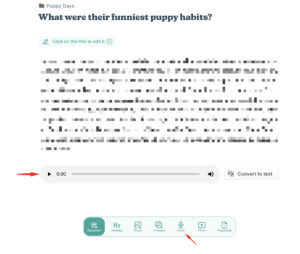
- When you preview your page layout, you will automatically see the newly styled QR code generated in place.
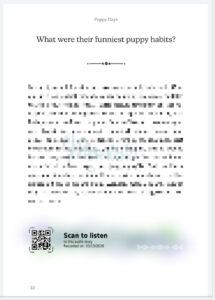
- Scan it with your phone’s camera to test it out.
You place a recording of your grandmother’s laugh next to her portrait. The QR code sitting below the photo looks like an intentional, elegant design element rather than a sticker from a grocery store.
The Finer Details
Building new tools is great, but sometimes the best updates are the quiet ones. Alongside the new checkout and guest links, we spent some time ironing out a few structural layout quirks and fine-tuning our platform colors for a cleaner, easier reading experience.
We also updated a handful of translations to ensure everything reads naturally, no matter where you or your family members are logging in from. It’s all part of making your time in Meminto feel just a little smoother and a lot more reliable.
Wrapping Up
Giving you more independence means you can focus on what actually matters: remembering, writing, and creating something tangible. We hope this update helps you keep your momentum going.
Want to see the new guest links or check out the stylish QR codes? Open your Meminto book and explore the updates right in your dashboard.